Creating a order management system dashboard to automize the process of placing and tracking orders

My Role
Product Designer
Team
Engineering Team
Marketing Team
Methods
User-Centered Design
Stakeholder Interviews
Workflow Mapping
Wireframing
User Flow Design
Prototyping
Tools
Figma
Adobe Photoshop
Timeline
Jun 2024 - Aug 2024
DanLaw is a leader in automotive electronics and telematics solutions, committed to innovation in automotive technology. Their flagship product, the DanLaw DataLogger, plugs into vehicles' OBD-II ports to collect and transmit high-precision data for fleet management, insurance telematics, and automotive applications
While the product was successful, the sales process was entirely manual. Orders were tracked through spreadsheets, shipments were coordinated via email chains, and there was no centralized system to manage the growing volume of B2B transactions with dealerships and enterprise clients.
As DanLaw scaled device sales to more companies and dealerships, the manual tracking system became a bottleneck. The company needed to automate order placement, fulfillment tracking, shipment coordination, and return management to scale operations efficiently.
I worked cross-functionally with engineering, marketing and product teams to design and prototype a complete Order Management System dashboard. My responsibility was to understand existing workflows, identify pain points, and create an interface that would streamline operations for DanLaw's logistics team and their B2B customers.

I conducted unstructured interviews with three key user groups:
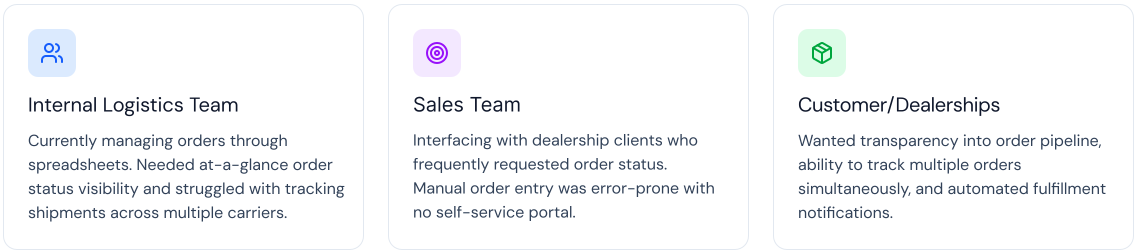

Based on the interviews, I narrowed it down to the 4 main problems that we could solve for -

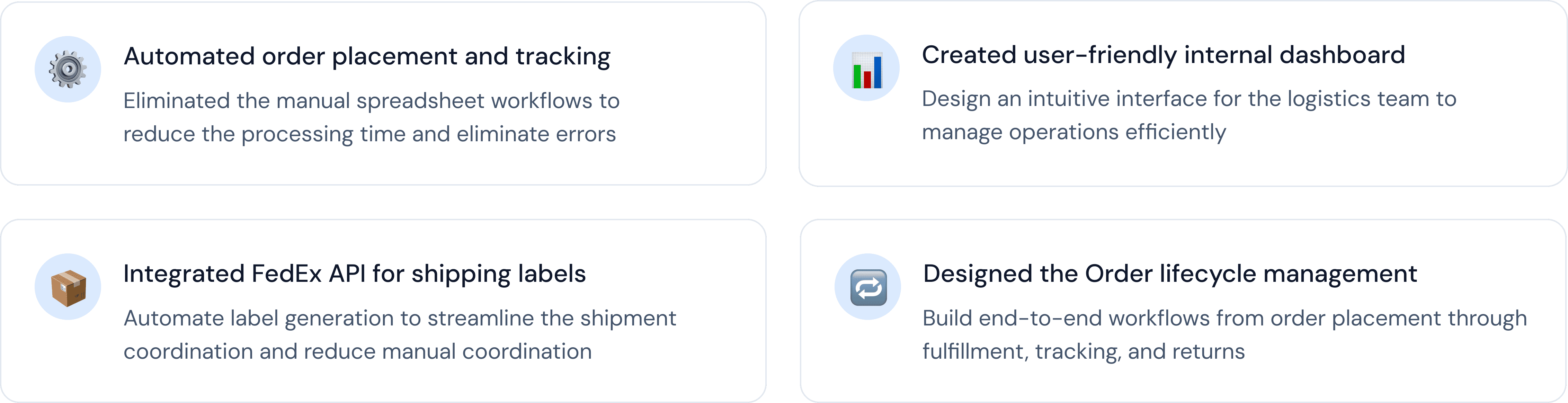
Working with engineering, I defined that the system must have the follow features:

To design the system, I aligned with logistics and engineering teams to map the end-to-end lifecycle of a DataLogger device:
For new orders being placed:
New Order → Processing → Upload Devices → Ping Test → Shipment → Delivery → Confirmation
For orders involving returns:
Return Request → Accept → RMA Status → Shipment → Label → Confirmation
Dashboard:
Gives logistics team instant overview of operations
Shows total devices sold and total customers
Gives an overview of new order details and RMA order details
Gives a summary of all orders with adjustable monthly along with recent orders


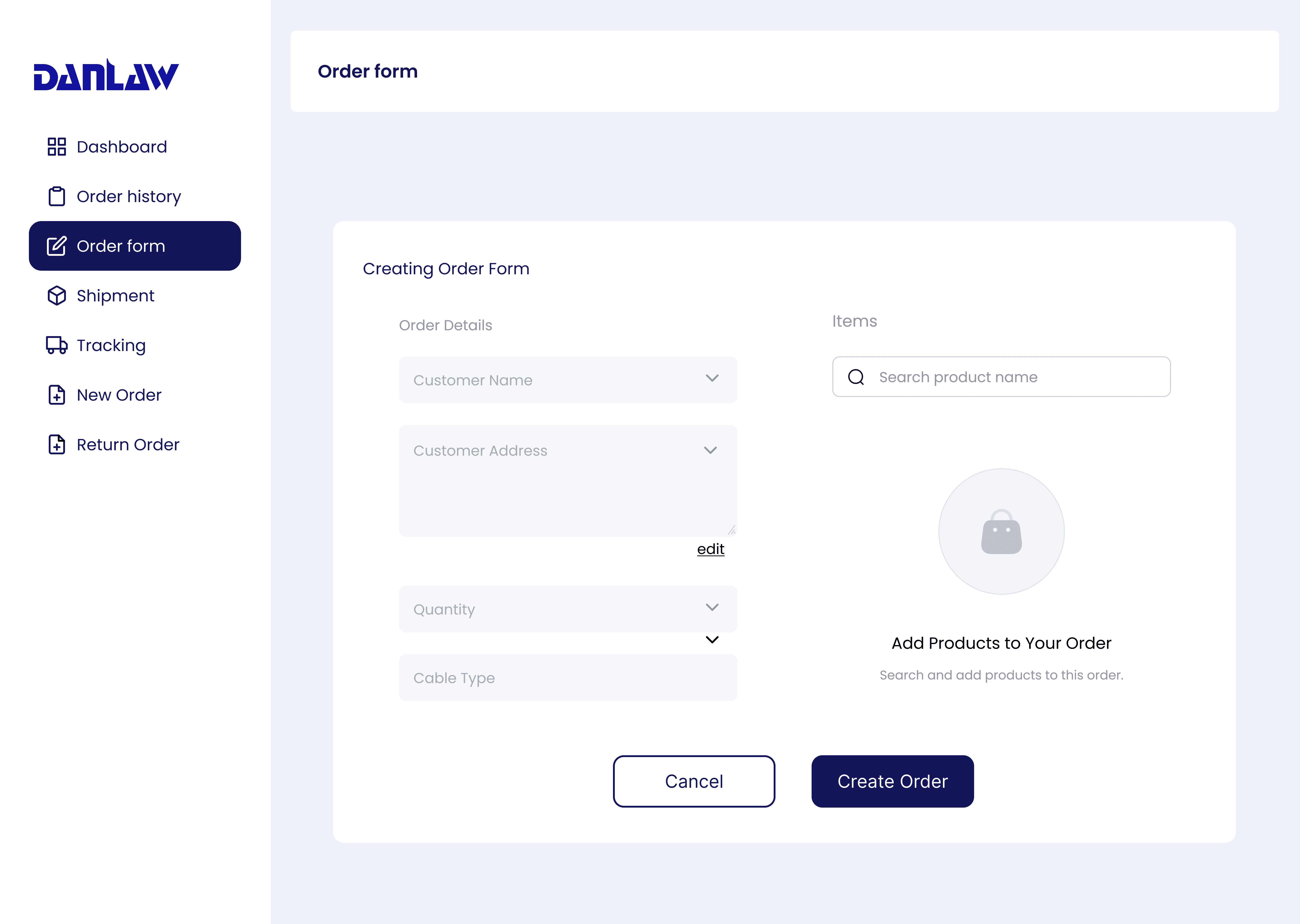
Order form:
Searchable archive of all orders with advanced filtering
Two-column layout separating Order Details (left) from Items (right)
Customer dropdown with search to select existing customers or add new via modal
Customer Address dropdown auto-populates based on selected customer

Tracking
Real-time visibility into shipment location and status
Search by Tracking ID or Order ID with dropdown selector
Order information card showing Order ID, Order Type, Order Date, and Estimated Delivery Date
Visual timeline showing order milestones: Order Confirmed → Shipped → Out For Delivery → Delivered
Active milestone highlighted with date stamp (e.g., "Order Confirmed - July 24th, 2024")
Map visualization showing shipment route
